
- Philatelic software
- For Windows
- Free
ScanMyStamp
Your stamps, from a new angle.
Digitize, explore, measure, and study your stamp collection.
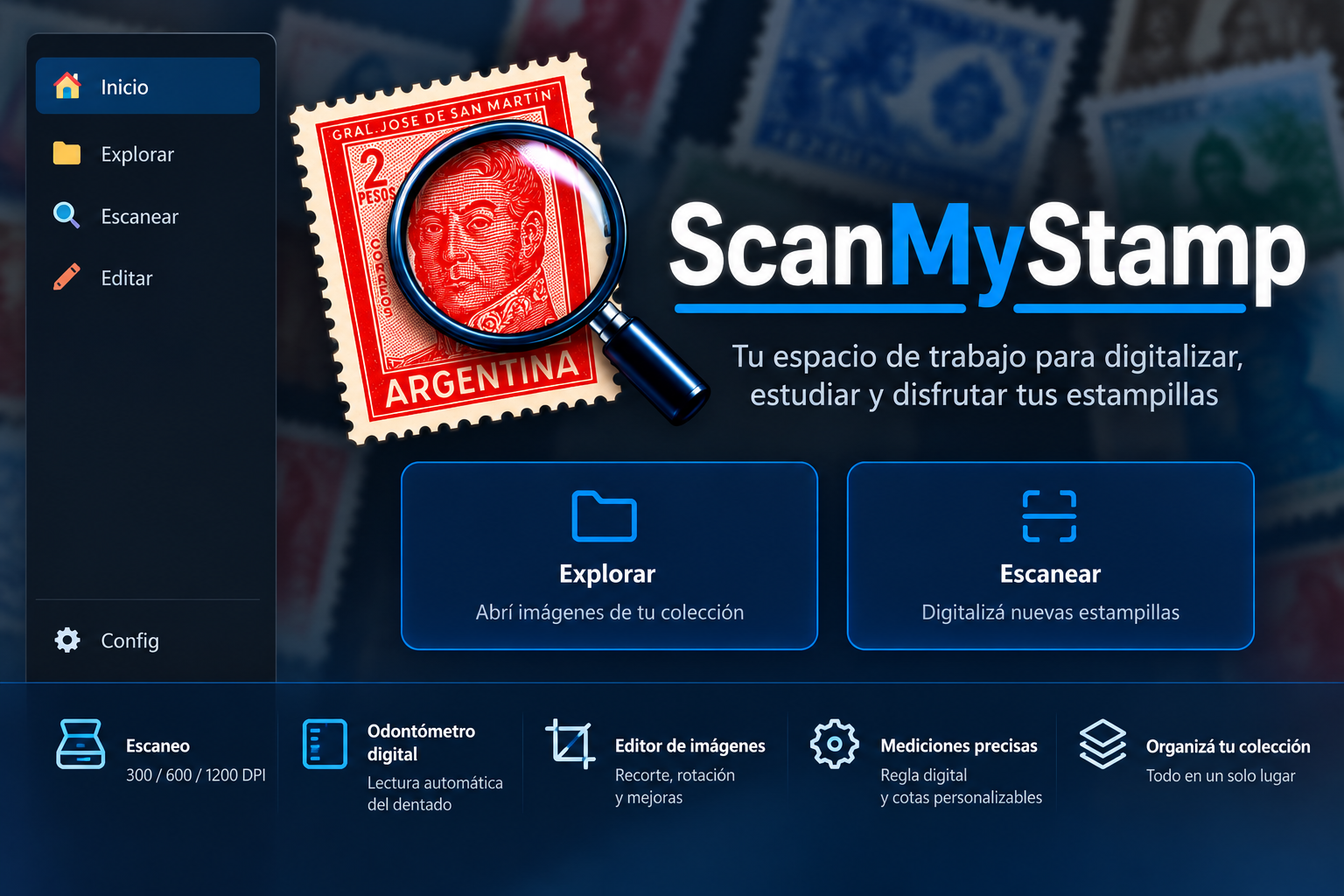
ScanMyStamp is a free Windows application built by a stamp collector for stamp collectors.
It started from a simple need: tools to view and study stamps on your computer without juggling several different programs.
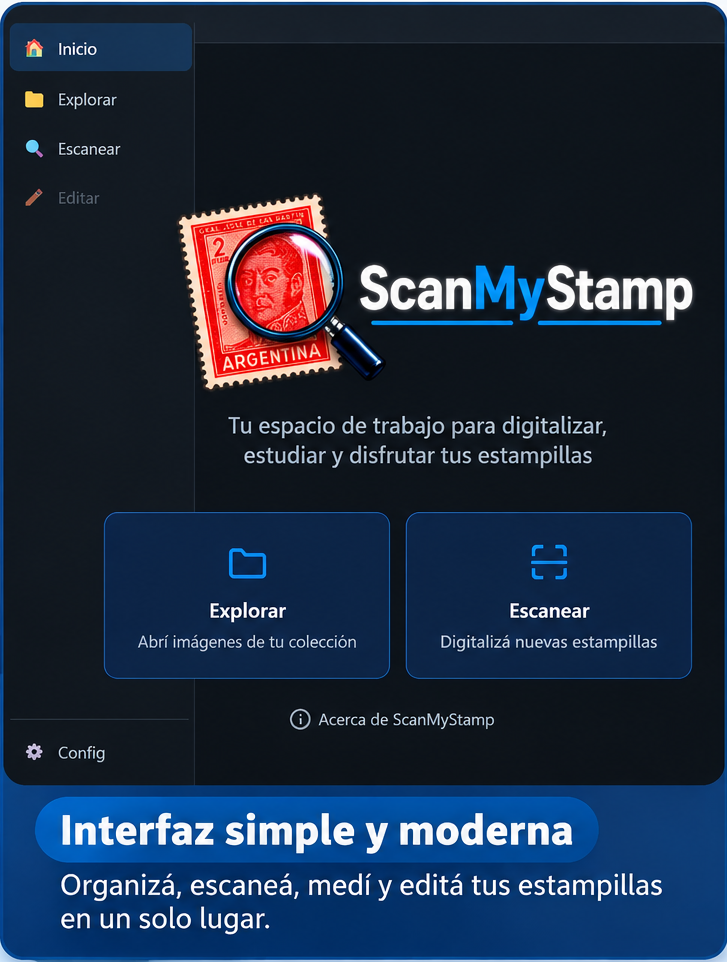
With ScanMyStamp you can scan your items, open photographs, examine fine detail, take measurements, study perforation, adjust images, and prepare files to document or share your collection.
Whether you collect for pleasure or research varieties, postmarks, or printing details, ScanMyStamp is meant to make the work easier.
One application
Discover its tools
Six ways to get closer to every item in your collection.
- 01Scan your stampsFrom scanner to digital collection.
- 02Explore every detailA digital magnifier for your stamps.
- 03Digital perforation gaugeStudy the perforation of your stamps.
- 04Digital rulerMeasurements directly on the image.
- 05Image editingPrepare your stamps to study and share.
- 06Save and share your workFrom study to files in your collection.
01Scan your stamps
From scanner to digital collection.
Connect a compatible scanner and digitize your stamps directly in ScanMyStamp.
Choose scan resolution, capture high-quality images, and keep working without leaving the app.
Work with single stamps or images that contain several items, making identification and separation easier.
You can also use photographs or images already stored on your computer.
02Explore every detail
A digital magnifier for your stamps.
Zoom in to examine details that are easy to miss at a glance.
Study printing lines, small differences between copies, postmarks, inscriptions, and possible varieties.
Move through your images, rotate them for comfortable viewing, and select the areas you want to study.
03Digital perforation gauge
Study the perforation of your stamps.
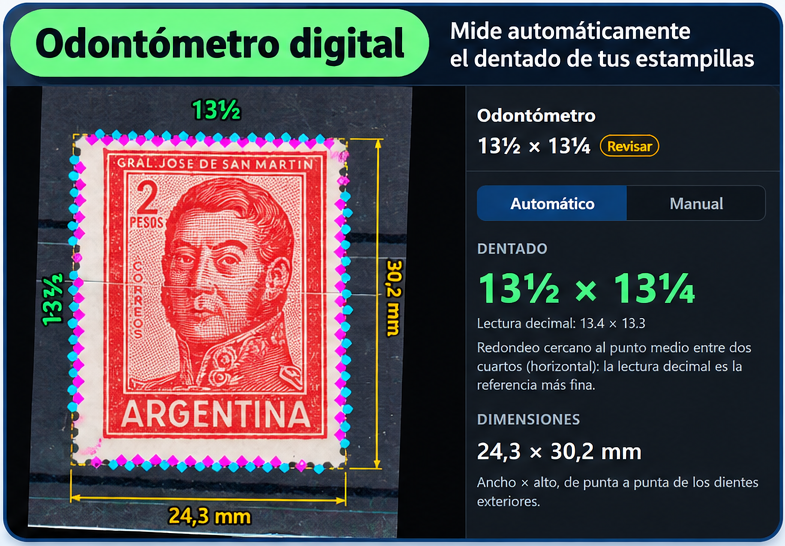
Perforation is essential for identifying many issues and philatelic varieties.
ScanMyStamp includes a digital perforation gauge with two modes:
- Automatic measurement
- analyzes the stamp edges and attempts to detect perforations to calculate the gauge.
- Manual measurement
- lets you place a series of marks along the perforations, similar to a traditional perforation gauge, directly on the image with interactive readout.
You can study different sides of the same stamp and compare the results.
On accuracy. Accuracy depends on image resolution and quality, the condition of the perforations, and how the image was captured. Automatic readings are an aid to philatelic analysis and may need manual verification.
04Digital ruler
Measurements directly on the image.
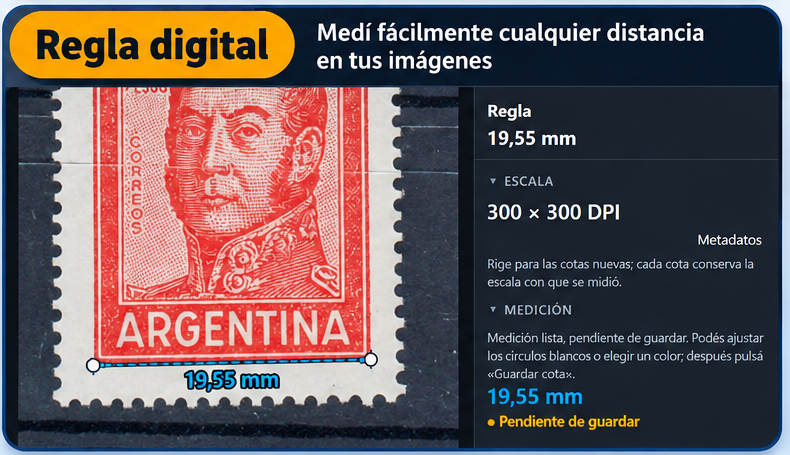
Measure distances and dimensions without printing your images.
The digital ruler lets you mark two points and read the distance between them in millimeters, using the image resolution.
It helps when studying stamp size, margins, spacing, design elements, and other features.
05Image editing
Prepare your stamps to study and share.
ScanMyStamp includes editing tools aimed at philatelic work.
Select areas, crop items, rotate them, adjust appearance, and work on specific details.
It also includes tools to correct orientation and geometry—especially useful when items were photographed rather than scanned.
The goal is clearer images for study and documentation while preserving original files whenever possible.
06Save and share your work
From study to files in your collection.
When you are done, save your images and export them as you need.
Prepare illustrations for your album pages, exchanges with other collectors, publications, research, or forum posts.
Uses
What can I use ScanMyStamp for?
You do not need to be a computer expert or run specialized studies to benefit from it.
- 01
Identify stamps
study printing characteristics, measurements, and perforation that help distinguish similar issues.
- 02
Look for varieties
zoom in to compare letters, numerals, ornaments, lines, colors, and possible printing differences.
- 03
Study postal items
examine postmarks, markings, stamps, and other elements on covers and documents.
- 04
Organize a digital collection
obtain individual images from scans and prepare material for personal albums or catalogs.
- 05
Share findings
prepare photos and details to discuss with other collectors.
The project
Made by a stamp collector, for stamp collectors
ScanMyStamp is an independent project born from a love of philately and a wish to build practical tools for our hobby.
It is not meant to replace a collector’s experience, knowledge, or traditional instruments, but to complement them with what technology offers.
The program is evolving. Some features are experimental and will improve with testing and feedback from users.
License
ScanMyStamp is Letterware
Free software. A letter, if you feel like it.
ScanMyStamp is distributed free of charge under an idea I like to call Letterware.
You can download it, install it, and use it without paying anything.
If you find the program useful, I would love to receive a letter or postcard from anywhere in the world. It is not an obligation or a condition of use—just a friendly way to connect two things I care about: philately and correspondence.
Imagine the collection of letters and postcards that could grow from this project!
If you prefer to buy me a coffee to support development, you can also make a voluntary donation.
No subscriptions, no locked features, and no obligation to donate.
Download
Download ScanMyStamp
Start seeing your collection from a new perspective.
Beta without publisher code signing. Windows may warn on install; AVG or other antivirus tools may still scan it — that does not mean they have approved it.
ScanMyStamp is built for Windows. Download the installer, open an image or connect your scanner, and start exploring its tools.